 English
  Deutsch

Associated Posts Pro is a state of the art WordPress Premium Plugin which enables you to bind all types of posts (like blog posts, pages or galleries) on your contents. You can easily select a set of posts by their taxonomies or authors and bind them on pages, posts and all your custom post types.
Features
- Associate posts with all content types: Posts, Pages, Galleries, and more
- Associate Custom Post Types with each other
- Paginate your post listings
- Completely free of advertisement and brandings
- More default templates
- Optimized and faster Query algorithm
- Template upload form in the backend
- A widget which displays the associated posts
- Cleaned up user interface
- Premium support by the plugin author within minutes
- Premium support for coders and webdesigners
The free Lite Version
In the Lite Edition of the plugin you can take a look around and you can associate posts with pages. Custom post types and taxonomies are not supported. On several places in the plugin you will find a notice that this function is included in the Pro Version. There is no support available for the Free Version. You can find the Download here.
Screenshots



Contents
Installation
- Download the Lite or Pro version of this extension. The downloaded file should to be a .zip file. If your browser or operating system offers you a directory as download you need to re-zip it on your own or you need to find a way to get the .zip file. Please consider buying the support package. We will install the plugin for you on your server.
- Go to your WordPress Dashboard and log in with an administrator account.
- Please deactivate all other versions of the plugin. Especially deactivate the Lite version if you want to install the Pro version. Your already created data will not get lost when you deactivate the plugin!
- Please navigate to Plugins -> Add New -> Upload.
- Then please upload the before downloaded .zip file of this extension.
- When the upload was successful, WordPress will offer your to activate the plugin.
- In a final step please navigate to the options page:
- Setup the interfaces and post types you want to use.
- Enter your license credentials to get the updates directly via the dashboard.
- Study the documentation attentively!
Compatibility
Requires WordPress 3.8 or higher on a Linux/Unix Server with PHP 5.3 or higher.
Install and first steps
Before you can start to associate contents with each other you need to activate the plugin and you need to tell the plugin which types of content you want to use.
After activating the plugin you can find a new options page in your WordPress Dashboard: Settings -> Associated Posts. On this options page you will find a box with the title "Association Interface". Please tick all post types where you need the associated meta box.
Then scroll down to the "Selectable Taxonomies" box. There you need to select the taxonomies you want to use to select the contents you want to associate.
Tip: If you are not sure which checkboxes you need to tick just check them all. You can change your selection at any time later.
Please do not forget that you need to come back to the options page and tick more boxes if you add some more custom post types later.
Associate Contents
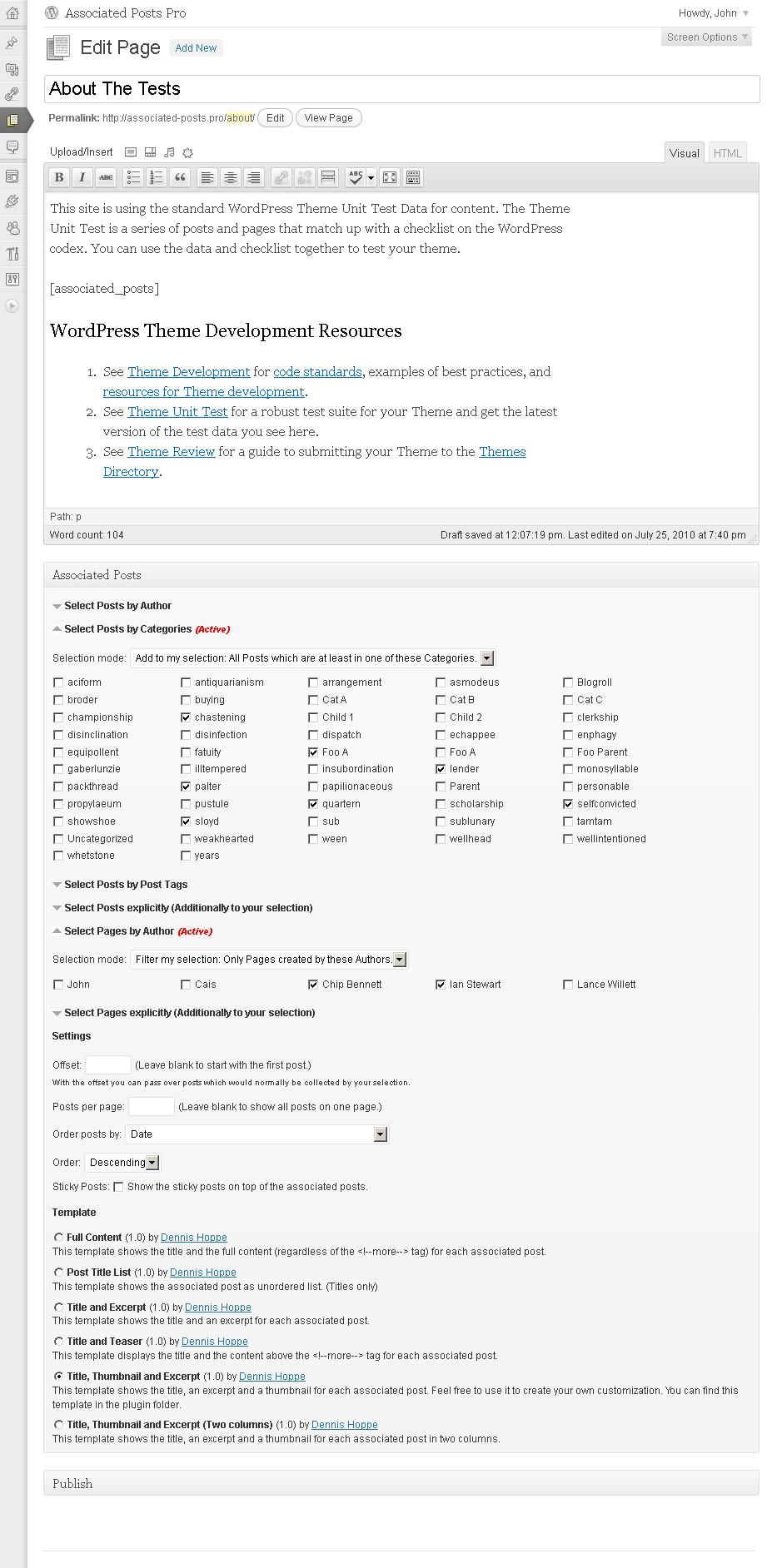
After you have setup the plugin successfully you can start associate your posts with each other. That's easy: Go to edit a page (or another post type you ticked on the options page in the "Association Interface" box). You will see a new meta box on the edit page screen with the title "Associated Posts". If you cannot see this box click on the top right corner of the page on the "Screen Options" button and activate the "Associated Posts" box.
In the association meta box you can select posts by the taxonomies you activated in the "Selectable Taxonomies" box on the options page.
For each post type and taxonomy you need to set a selection mode. The selection mode controls how the taxonomies you select will be handled. I want to explain this with an easy example with posts and post categories.
Selection Mode
If you want to associate posts by their categories with a page you need to use the following selection mode:
- "Add to my selection: All Posts which are at least in one of these Categories" means that all posts which are in one of the selected categories will be associated to the page you edit.
- "Filter my selection: Only Posts which are at least in one of these Categories" means that the posts which are selected through other taxonomies will be filtered and only posts which are in one or more of the selected categories will be kept in your selection.
- "Add to my selection: All Posts which are in all of these Categories" means that all posts which are in every category you selected will be associated to the page you edit.
- "Filter my selection: Only Posts which are in all of these Categories" means that all posts which are not in all of your selected categories will be filtered from your current selection.
- "Do not care about Categories" should be clear. It means that this taxonomy will not be used to associate posts to this page.
Tip: If you are not sure what to do and you want just add your posts to the page select "Add to my selection: All Posts which are at least in one of these Taxonomy".
Templates
The Associated Posts Pro Plugin will use templates to display the associated posts. A template controls the appearance of a set of posts and generates the HTML code. So you have the full control how your associated posts should look like and which HTML standard they follow. You can see all available templates on your options page: WordPress Dashboard -> Settings -> Associated Posts. And of course you can add your own.
Click on the options page on the box title "Add a Template". And new box should slide down where you can upload new templates.
Create your own template
To create your own template you only need elementary HTML and PHP knowledge. Create a new HTML file and start writing the header with the template details. Here is an example how the header should look like:
/*
AP Template: Template Name
Description: Your template description here.
Version: 1.0
Author: John Doe
Author URI: http://example.com
*/
To generate the HTML code you need to access the WP_Query Object of the associated posts via $this->Get_Associated_Posts() inside your template. This function returns a WP_Query object which is very well documented in the WordPress Codex. A good starting point is the default template. Please take a look on it before you start with your own one.
Shortcode
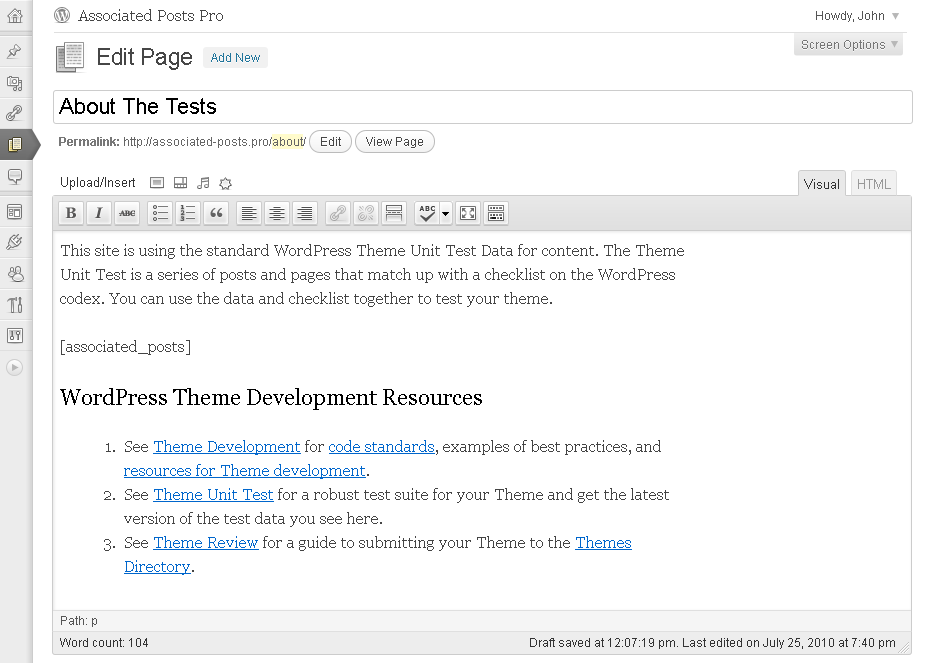
The shortcode [associated_posts] has no parameters. You can use it in your posts to change the position of the associated posts. If you do not use the shortcode it will be inserted automatically by the plugin. You can change the default position of the shortcode in the options page box with the title "Position".
Options Page
Widget
The Associated Posts Widget displays the associated posts of the current page. Please type in a widget title and select the template the widget should use.
Plans & Pricing
One year of updates and personal 1-on-1 support for one website. If you already bought the plugin this package will add another year of updates and support to your account.
- Associated Posts Pro WordPress Plugin
- Lifetime usage license for Associated Posts Pro without any additional costs
- Updates for 365 days
- Support for 365 days
- Personal support by the developer
One year of updates and personal 1-on-1 support for up to five websites. If you already bought the plugin this package will add another year of updates and support to your account.
- Associated Posts Pro WordPress Plugin
- Lifetime usage license for Associated Posts Pro without any additional costs
- Updates for 365 days
- Support for 365 days
- Personal support by the developer
One year of updates and personal 1-on-1 support for up to fifteen websites. If you already bought the plugin this package will add another year of updates and support to your account.
- Associated Posts Pro WordPress Plugin
- Lifetime usage license for Associated Posts Pro without any additional costs
- Updates for 365 days
- Support for 365 days
- Personal support by the developer


Published in January 2012
Latest update in October 2026
Made in Germany
approx. 41300+ active installs
By Dennis Hoppe
Premium developer item