 English
  Deutsch

The Auto Image Resizer is a state of the art WordPress Plugin which reduces your uploaded images to the maximal used image dimensions of your WordPress website.
If the uploaders (author, member, whoever) browsers supports html5, gears, flash or silverlight the images will be resized directly on the client otherwise the server will do that. So the plugin works in every case regardless of the clients browser or OS.
How it works
- Download the plugin and install it on your WordPress website or blog
- Configure the plugin in the WordPress backend (or use the default options)
- If a user uploads a new image to the media library, to a post or a page (or a custom post type) the plugin analyses the image dimensions automatically and unnoticeable.
- If the uploaded image is bigger than the defined maximal image dimensions it will be reduced to the maximal height and width without cropping or deforming it.
- If the uploaders browsers supports html5, gears, flash or silverlight the images will be resized directly on the client before uploading them.
- Then the reduced version of the uploaded image will replace the "large size" version of the image.
This saves your web space the traffic of the website visitors.
The free Lite Version
In the free version of the plugin you can test the plugin as long as you want but with a small limitation: The free version can handle sepia images only. Of course in the pro version you can upload true color images, too! You can find the free version of the plugin here.
Screenshots
Contents
Installation
- Download the Lite or Pro version of this extension. The downloaded file should to be a .zip file. If your browser or operating system offers you a directory as download you need to re-zip it on your own or you need to find a way to get the .zip file. Please consider buying the support package. We will install the plugin for you on your server.
- Go to your WordPress Dashboard and log in with an administrator account.
- Please deactivate all other versions of the plugin. Especially deactivate the Lite version if you want to install the Pro version. Your already created data will not get lost when you deactivate the plugin!
- Please navigate to Plugins -> Add New -> Upload.
- Then please upload the before downloaded .zip file of this extension.
- When the upload was successful, WordPress will offer your to activate the plugin.
- In a final step please navigate to the options page:
- Enter your license credentials to get the updates directly via the dashboard.
- Study the documentation attentively!
Configuration
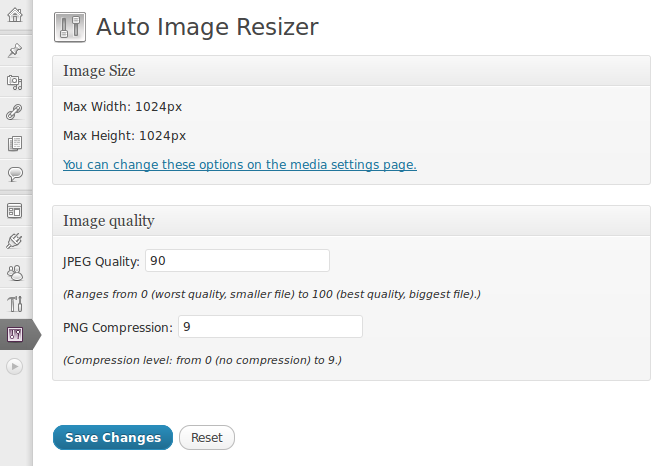
As soon as the plugin is activated it is operable. By default the maximal image dimensions from your current media settings will be used and there is a small set of default options.
Maximal image size
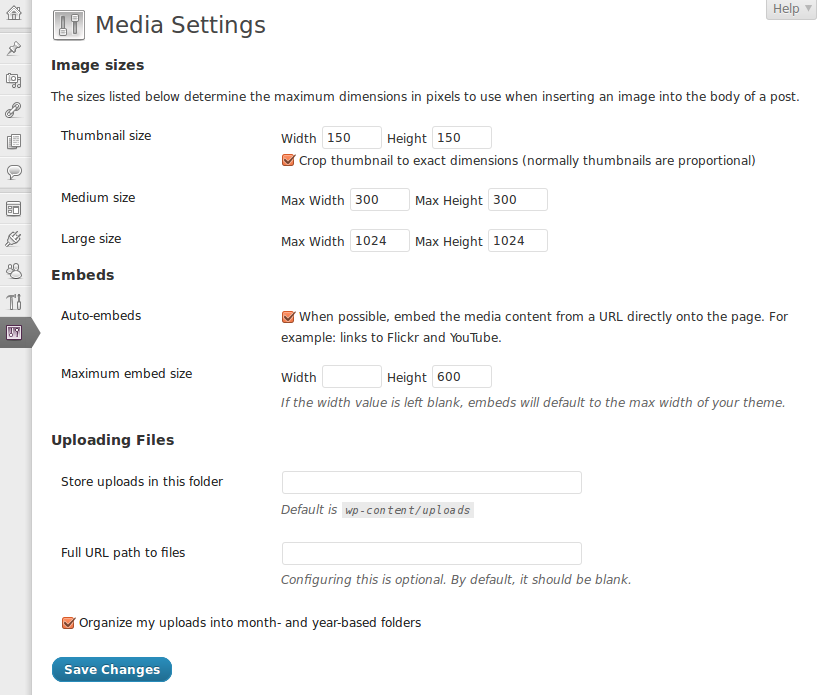
You can change the maximal image dimension in Settings -> Media -> Image sizes -> Large Size.
Image quality
You can change the image quality in Settings -> Auto Image Resizer -> Image quality.
Custom Image Sizes
Some Plugins and Themes use custom image sizes for post thumbnail images or header banners. The Auto Image Resizer take care of the image dimensions of other components so your images could be some pixel bigger than your "large size" option.
Automatic Updates
On the Settings page you can enable or disable the automatic updates. To make use of the automatic updates please enter your account details in the corresponding option box.
Plans & Pricing
One year of updates and personal 1-on-1 support for one website. If you already bought the plugin this package will add another year of updates and support to your account.
- Auto Image Resizer Pro WordPress Plugin
- Lifetime usage license for Auto Image Resizer Pro without any additional costs
- Updates for 365 days
- Support for 365 days
- Personal support by the developer
One year of updates and personal 1-on-1 support for up to five websites. If you already bought the plugin this package will add another year of updates and support to your account.
- Auto Image Resizer Pro WordPress Plugin
- Lifetime usage license for Auto Image Resizer Pro without any additional costs
- Updates for 365 days
- Support for 365 days
- Personal support by the developer
One year of updates and personal 1-on-1 support for up to fifteen websites. If you already bought the plugin this package will add another year of updates and support to your account.
- Auto Image Resizer Pro WordPress Plugin
- Lifetime usage license for Auto Image Resizer Pro without any additional costs
- Updates for 365 days
- Support for 365 days
- Personal support by the developer


Published in May 2010
Latest update in May 2026
Made in Germany
approx. 44800+ active installs
By Dennis Hoppe
Premium developer item